


View Demo→

CSS3 have started conquering the web. produce great functions and effects and really make our eyes wide opened. For example, have a look at this Windows 7 start menu designed using only CSS3! CSS3 including the cheat sheets which are very essential to web developers and designers who are willing to code using these standards.
CSS3 cheat sheets
1.CSS3 Help Sheets
 2. CSS3 Quick reference guide

CSS3 cheat sheets
1.CSS3 Help Sheets

You can purchase the book here or read a sample chapter, on CSS3 transitions, here.

Artist’s Comments
Everybody should have one
Everybody should have one
- 256×256
- ICO & PNG
- ICO & PNG


Artist’s Comments
Mailbox Icon Created in photoshop. Includes both icon and png format in 512px size.
Mailbox Icon Created in photoshop. Includes both icon and png format in 512px size.


Simplicius Simplicissumus Demo: http://www.ait.sk/simplicius/wp/

Social Media Icons, love ‘em or loathe ‘em, they always come in handy! Today’s freebie is a set of three social media icons perfect for displaying your RSS subscriber count, Twitter followers and Facebook fans.
Each icon comes in 32x32px .png format and as always the editable PSD is included. Let me know if you find them useful and enjoy the download!
P.S. Would you like see a full set of Social Media Icons designed in this style? Let me know in the comments.

Today’s freebie is a simple navigation menu made up of a series of buttons and search box.
The dark tone and style of the buttons immediately makes me think of application type websites however I’m sure this menu would fit into a variety of designs. Let me know what you think of the freebie and of course show me what you do with it!


Continuing on the “simple” theme, today’s freebie is a very simple, yet very usable, thumbnail slider.
Perfect for occasions where you need to showcase content on a smaller scale. The download, as always, includes the fully editable PSD. Thanks to We Are Fixel for the use of their logo!
Edit: Check out the coded version by Joe Pettersson here →
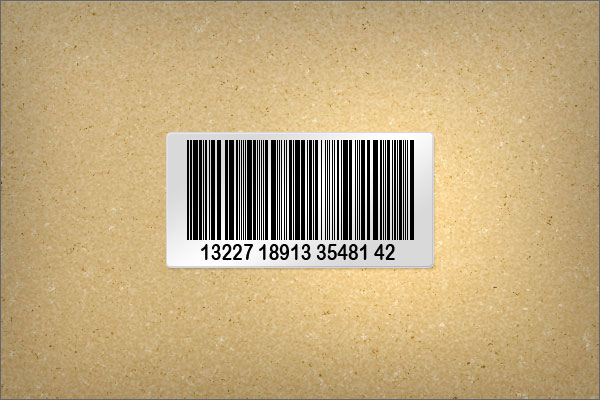
In today’s screencast we will revisit a quick tip tutorial by Alex Painsi that demonstrates how to create your own barcode sticker in Adobe Photoshop. This tutorial shows how to create custom brushes and apply custom settings to your brushes.
Here is a link to the written version of this tutorial Quick Tip: Create a Barcode Sticker in Photoshop

One of my biggest gripes about working with Illustrator and Photoshop is that there is no good way to bring in an entire vector illustration from Illustrator into Photoshop without losing all of your vector editing capabilities. Sure, there are some workarounds, such as copying and pasting your illustration one-by-one into Photoshop as smart objects, or by just grabbing the entire illustration and pasting it into Photoshop. Each method, however, has some major drawbacks.
While Adobe still hasn’t devised a method to do this the way we all expect, there is a way to do this that requires a bit of set up. Not too long ago I was watching an episode of Fridays With Mordy and learned a lot from his lesson but I realized that there was an easier way to do this. In today’s quick tip tutorial, I will demonstrate how to import an entire vector illustration from Illustrator into Photoshop. Let’s get started!


This template was design for a safety or information type of web site. Simple social media section & search form options. Great template to use to learn how to slice and code into a XHTML / CSS Template.
This template dose not come sliced.

Forms can often look a little dull, freebie should be able to help out a little – a set of styled form elements.
The PSD includes styles for text fields, select boxes, checkboxes, radio buttons and a main submit button – enough to get you started! Let me know what you think in the comments and feel free to share!

A set of three download buttons in three states, normal, hover and active.
A slight variation of the typical web button, these download buttons use a subtle icon to suggest the action of downloading. Drop these into any design and you’re good to go. The download includes the editable PSD.
From: PremiumPixels


This web 2.0 design is simple to use and code. Designed with wordpress in mind, this design is the perfect template for any personal blogging website.
This template dose not come sliced. Fonts Included.

